How to color scatter
Open the Colors panel and
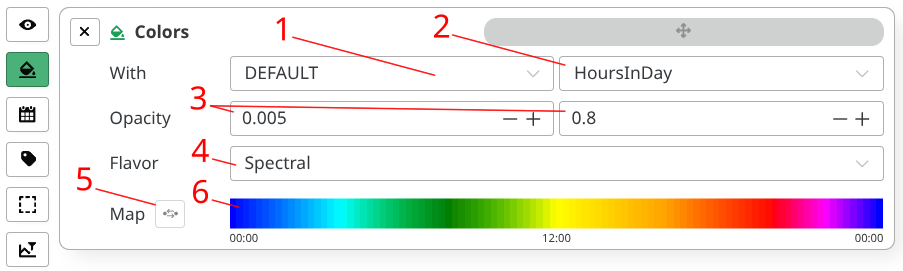
access to the following controls:
- Color Category
(1)
and Color Option
(2)
DEFAULT: color by the hour in a day, by day or night, or by interval indexTAGS: use tag values for coloringACOUSTICS: use acoustic values for coloring
- Opacity values
(3)
- For excluded (hidden) points
- For included (visible) points
- Color flavor (palette) (4)
- Color map reverse button (5) and gradients (6)
tip
The gradient is rendered dynamically, relative to current color category and option.
Hover the gradient color slices to display the actual underlying values.
- Default
- Tags
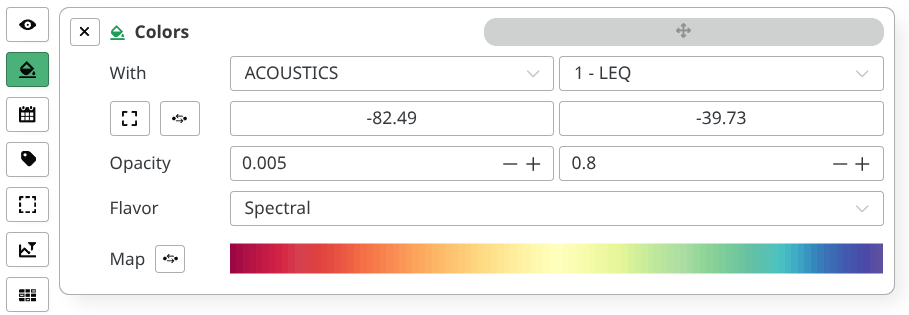
- Acoustics
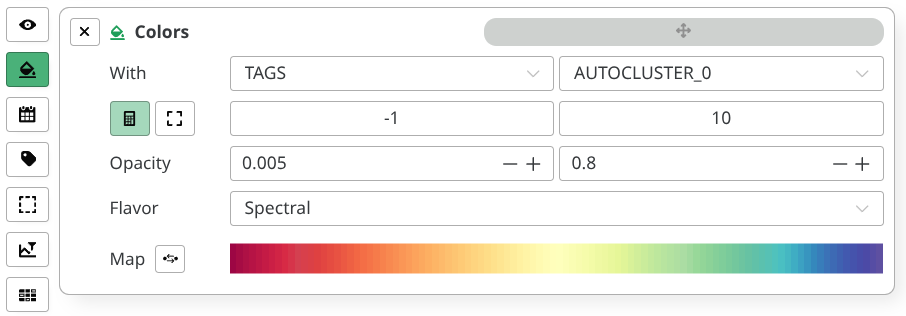
Tags category with AUTOCLUSTER_0 option.
Act as numeric range has been enabled as tag values are
digitizable.